UI-TARS model configuration: connect the endpoint and fix the error
Open Settings → VLM Settings, select the matching provider, then enter your deployment’s Base URL, API key and exact model name. Run Check Model Availability before starting an operator task. Read any error in full: the same 404 status can describe either a request-path problem or an unknown model.
Already have the app installed? Start with the fields below. For installer choice and OS permissions, follow the UI-TARS Desktop setup guide, then return here to finish the model connection.
Enter each field from the same deployment
Keep the provider configuration beside the app while you work. A downloaded model, an app preset and a running inference service are different things; the service supplies the connection details.
1. VLM Provider: choose the matching integration
Choose the preset for the model you deployed. Desktop 0.2.4 includes Hugging Face and VolcEngine Ark presets. The preset tells the application how to use model actions; selecting it does not create an endpoint or grant provider access.
2. VLM Base URL: use the API base, not a model webpage
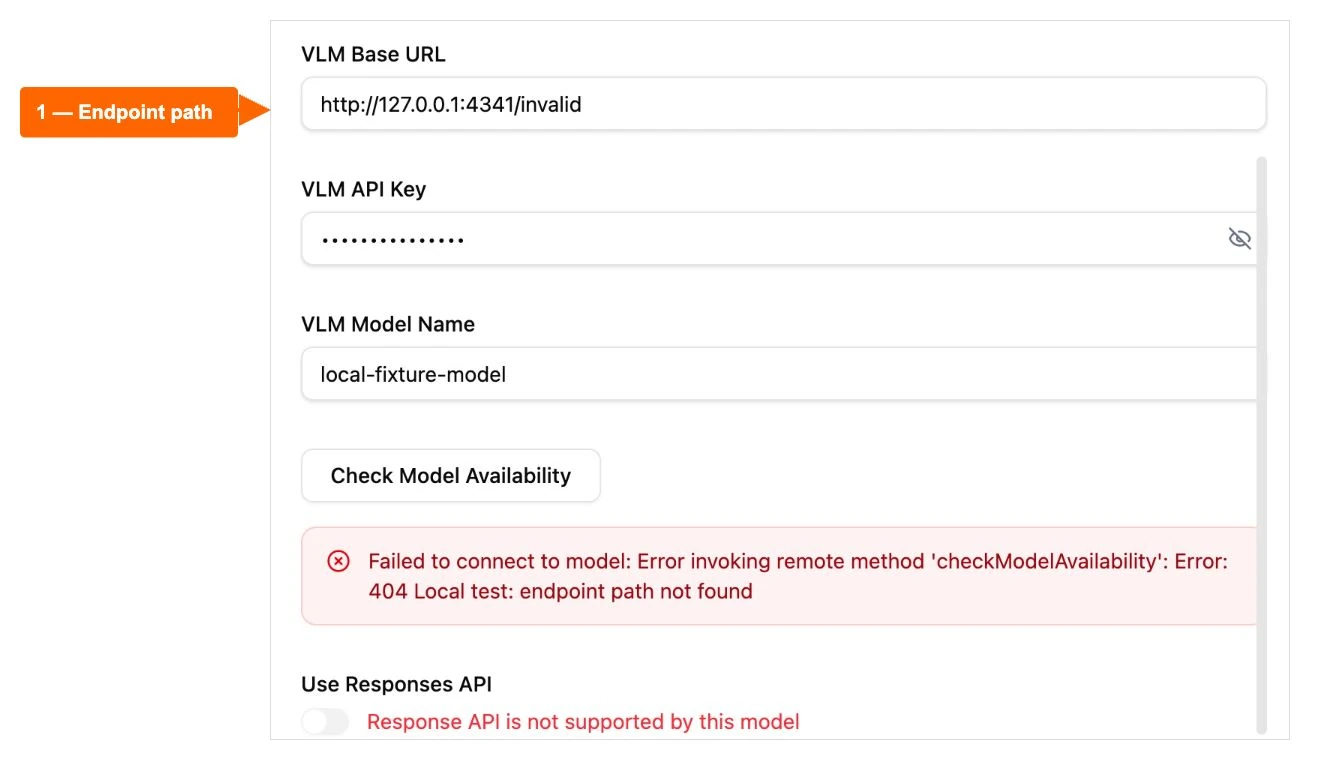
Copy the inference API base from your deployment. For the documented Hugging Face UI-TARS-1.5 path, include /v1/. Other providers can use another prefix, so preserve their documented path. A repository page or dashboard URL is not an inference endpoint.
The chat-completion client adds /chat/completions to the base. Entering that complete request path as the base can produce the wrong URL. Check the final request path in provider diagnostics before changing the model name.
3. VLM API Key: authorize this endpoint
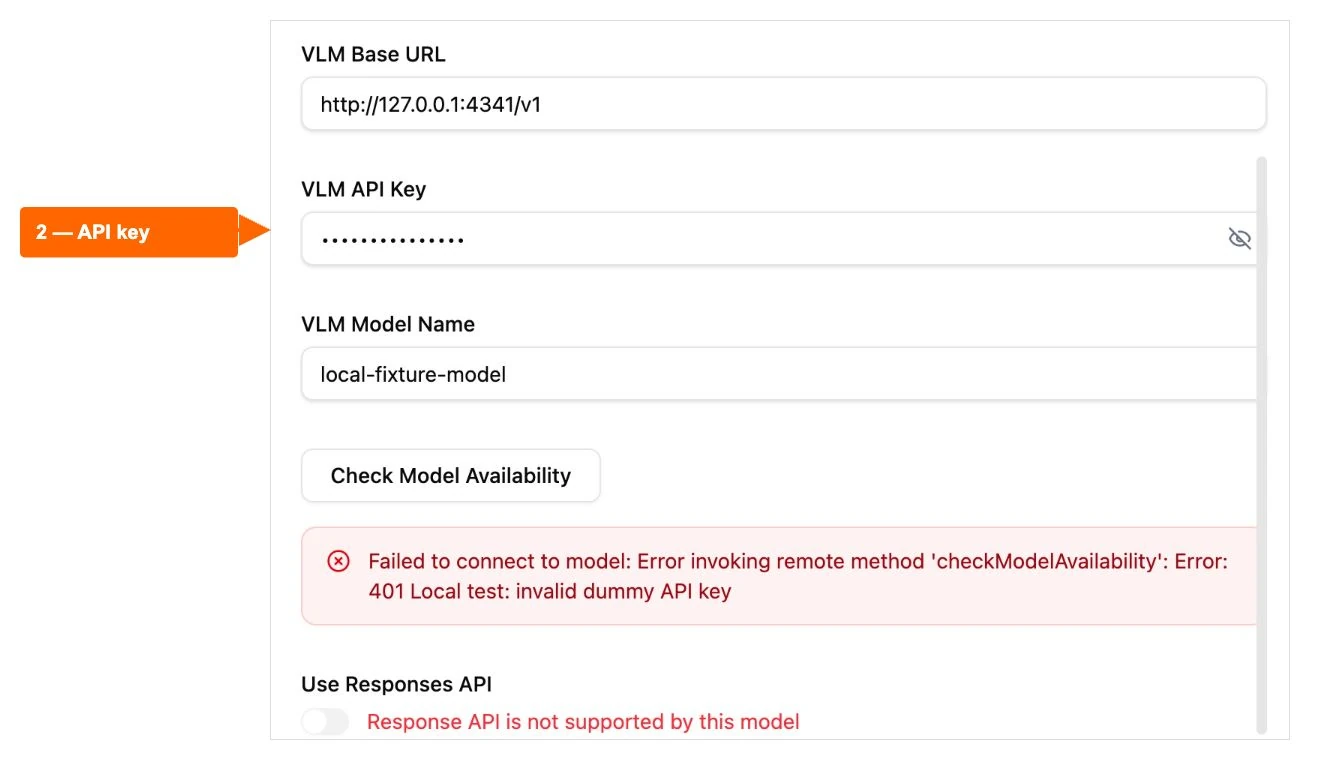
Use the credential issued for this service and account. Paste the key itself into VLM API Key; the client supplies the Bearer authorization header. Keep the eye toggle concealed, and check access permissions if the response is 401 or 403. Rotating a key will not correct an unrelated URL-path error.
4. VLM Model Name: match the server’s identifier exactly
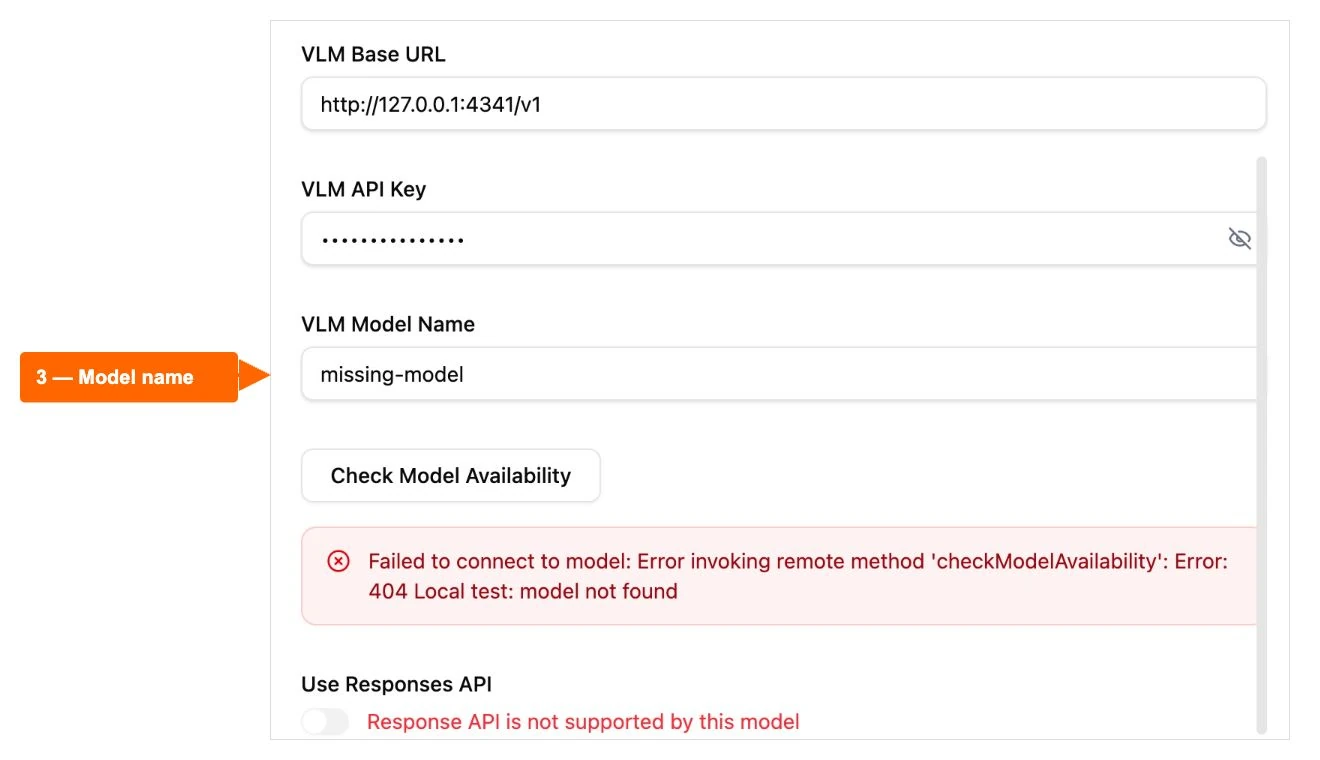
Copy the model or deployment identifier accepted by the endpoint. A repository name, a preset label and a hosted deployment ID can differ. Confirm the identifier in the service configuration, then repeat the check while leaving the endpoint and credential unchanged.
Keep Responses API aligned with your deployment’s supported API. A successful chat-completion response and Responses API support are separate checks. Once these fields agree, use the result table to decide the next change.
Error-to-fix table: change one thing at a time
| Result | What to check next |
|---|---|
| 404 · endpoint path not foundLocal fixture | Correct the API base prefix; avoid adding chat/completions twice. Keep the key and model unchanged. |
| 401 · invalid API keyDummy-key test | Use an authorized credential for this endpoint and account. Keep the URL and model unchanged. |
| 404 · model not foundLocal fixture | Copy the deployed model identifier accepted by this server. |
| 200 · response receivedLocal protocol check | Next verify image input, the provider integration and one small operator task. |
| 403, 429, timeout or TLS failureDocumented guidance | Review provider permissions, quota, service state or network/TLS trust as appropriate. Preserve certificate verification. |
A status code narrows the investigation; it does not identify every possible cause. Keep the exact message, app version, OS and provider preset with your notes, and remove credentials before sharing them.
Optional: test one text request outside the app
If you want to separate the endpoint from the desktop workflow, download the Python endpoint-check script and inspect it first. It uses Python 3’s standard library and sends one small text-only chat-completion request to the URL you enter. With a real provider, that request can incur inference charges.
From the folder containing the saved file, run this command in a terminal where python3 is installed:
python3 check-ui-tars-endpoint.pyEnter the API base, exact model identifier and API key when prompted. The terminal conceals the key; the script does not save it, print the response body or follow redirects. Use HTTPS for a real provider. HTTP is accepted only for a loopback test service on your own computer.
Read the HTTP result and return to the matching table row. The script’s 200 result checks a chat-completion response shape; it does not test images, model quality or computer control. The displayed command and error paths were exercised on macOS using the local fixture described next.
Verified fix: three local errors, then a successful check
The screenshots come from UI-TARS Desktop 0.2.4 on Apple silicon with macOS 26.6.2, captured 29 October 2026. A loopback-only fixture returned controlled responses using dummy credentials. No live model service was involved.
- With
/invalidas the API base prefix, the app displayed an endpoint-path 404. - With
/v1and a wrong dummy key, the app displayed an authentication 401. - With the correct dummy key and
missing-model, the app displayed a model-name 404. - With
/v1, the matching dummy key andlocal-fixture-model, the app accepted the fixture’s chat-completion response.
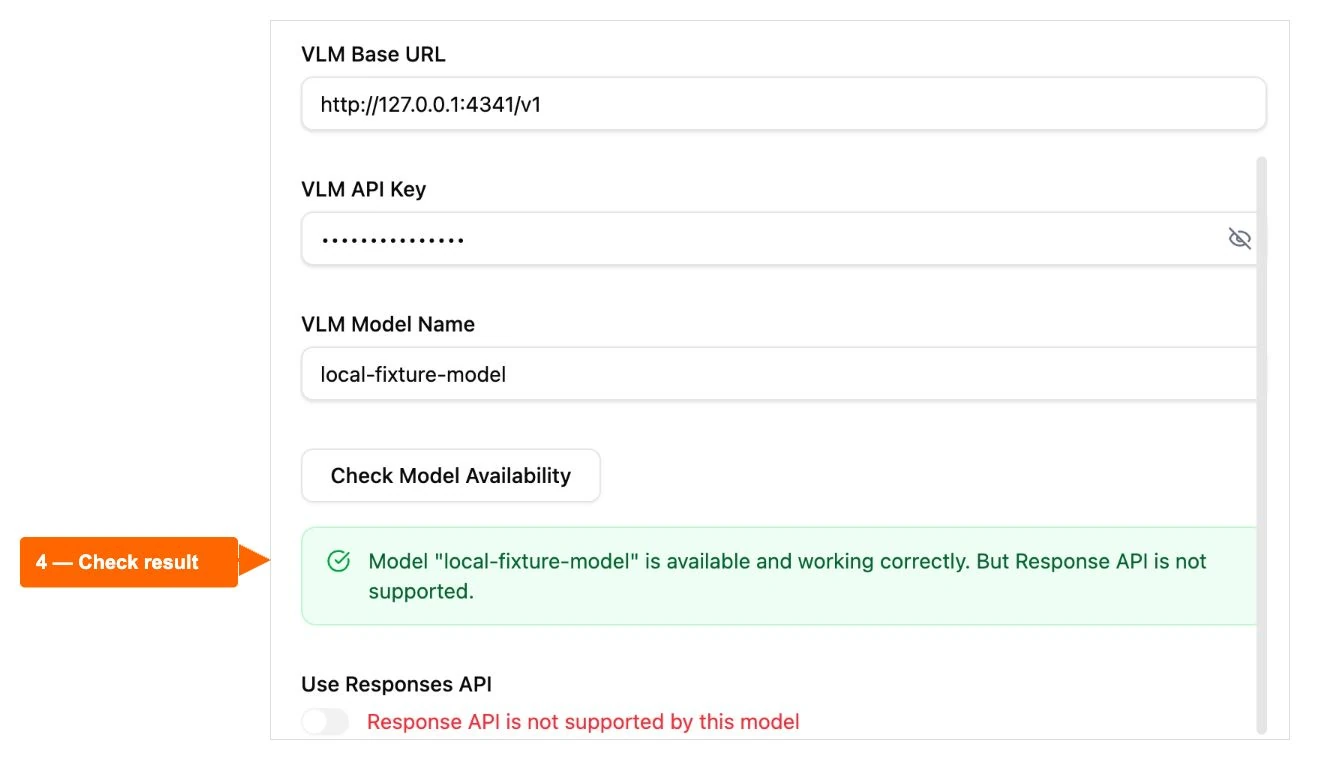
Use the same method with your own deployment: correct one field, repeat the check and inspect the result. After the real model also accepts image input, continue with the small scratch-document task.
Software cost and inference cost are separate
Open-source software availability does not include unlimited hosted inference. Your chosen endpoint can charge for requests, tokens, images, GPU runtime or idle capacity. Self-hosting adds hardware or rental, storage and electricity costs.
Check current pricing in your provider account, set a spending limit where available, and review usage after one short task. Retries and longer workflows can increase consumption. For a broader choice of workflow, use the Desktop, model and Agent TARS comparison.
5-step UI-TARS troubleshooting checklist
- Match VLM Provider to the deployed model integration.
- Copy the deployment API base URL, including its required path prefix.
- Use a credential authorized for that endpoint; keep it concealed.
- Enter the exact model/deployment identifier and repeat the availability check.
- Confirm image input, then verify one small operator task before expanding the workflow.
If the result still differs, share the error text and configuration context with the project community, keeping the key and private account details out of the report.
Official documentation reviewed 30 October 2026: bytedance/UI-TARS-desktop docs/setting.md, docs/quick-start.md and the model-availability request implementation. Connection captures: local fixture tests on 29 October. Diagnostic command checks: 30 October. Sources describe configuration; local fixtures establish only the response-handling results stated above.